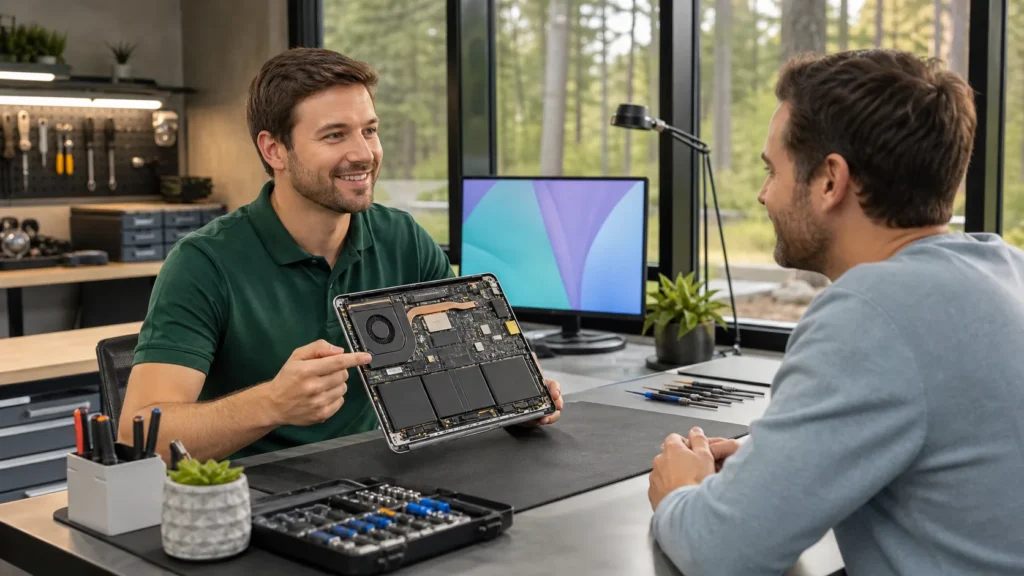

Laptop issues often start small. A flickering screen, a loosened hinge, or a strange charging problem can seem simple to handle at first. But what seems like a quick job can easily turn into a pricey mistake if it’s not done the right way. We’ve seen it happen plenty of times, someone opens up their machine to swap out a battery and ends up with a laptop that won’t turn on at all.
It’s easy to understand why someone might want to try and repair a laptop computer on their own. But without knowing how the parts work together or where the real problem lies, it’s just as easy to make things worse. Knowing what not to touch is just as important as knowing what to replace or adjust.
Why Small Laptop Repairs Can Turn Into Big Headaches
Laptops aren’t built for guesswork. Their tight layouts don’t leave much room for error, and one small slip can cause damage you can’t see until it’s too late.
- Prying up a panel the wrong way can snap clips or flex a motherboard, even if the outside looks fine
- Using the wrong screwdriver might strip screws or crack plastic brackets
- Rushing through disassembly means you might forget small pieces like thermal pads or connector clips
And even when everything seems to fit back into place, misaligned parts can strain the system later. Fans no longer line up right. Screen wiring might get pinched. Circuit contacts may not sit flush. A simple fix turns into an unstable machine that breaks down again a week later.
Most of these problems come from skipping the prep work. People get excited or feel stressed to fix things fast. But doing repairs without care or the right knowledge can leave your laptop in worse shape than when you started.
What You Should Check Before Attempting Any Repair
Before you even pick up a tool, it’s smart to stop and check for warning signs that mean the job might be bigger than you thought. Some clues show the damage goes beyond what’s visible on the surface.
- A burning smell or a laptop that won’t power on could mean internal short circuits
- Screen flickers, strange colours, or ghosting images are often signs of more than just a loose cable
- If your battery drains extremely fast or the laptop gets hot for no clear reason, there could be problems hiding beneath the casing
A good first step is to think about how long the device has had the problem. If the issue came on slowly, chances are it’s part of a larger pattern. Was it dropped recently? Exposed to liquid? Showing new sounds during fan spin-up? These past patterns help paint the bigger picture.
And don’t forget to check the warranty. If it’s still covered, opening the case could make things worse in more ways than one. Some brands cancel future help if the device is even slightly opened on your own.
Why Spring Is a Good Time to Get Your Laptop Looked At
Now that spring has started in London, Ontario, we’re seeing laptops act up in ways they didn’t during winter. Months of cold commutes, indoor heating, and wet gear leave behind problems that show themselves as temperatures rise.
- Dust that built up in vents over winter blocks airflow, making laptops run hotter
- Internal parts exposed to moisture from snowy jackets or damp backpacks may start to corrode in April’s humidity
- Fans clogged with lint work harder and get louder as spring gets warmer, which is easy to miss until the laptop starts overheating
This is a great time to get ahead of those problems. Before summer hits and your machine is under full load again, whether school, work, or personal use, a good check can spot problems early. Laptops might last years, but they need a bit of seasonal attention just like any other daily tool.
As temperatures climb and humidity rises, minor laptop issues can reveal more serious problems that went unseen over winter. Spring cleaning isn’t just for rooms, your laptop benefits from it, too. Dusting off vents, checking for strange noises, and watching out for new performance issues are all helpful. Catching the early signs now helps prevent breakdowns when you need your device most for school or work.
Common Parts to Leave Alone Unless You Know What You’re Doing
We’ve worked on countless laptops that started off needing a basic fix but turned into full rebuilds after someone tried to handle parts without knowing what they were dealing with. It’s better to understand which parts are more difficult than they appear.
- Batteries may seem like a simple swap, but many are glued in and wired to sensors
- Screens are fragile and often have thin ribbon cables that tear with one wrong tug
- Internal connectors, especially around the motherboard, snap easily and are nearly impossible to replace without proper tools
- Charging ports sit near other small parts that can break just by removing the wrong bracket first
Most of these sections require precision tools and repair guides that aren’t easy to follow without experience. Even something like thermal paste, meant to improve cooling, can cause damage if spread too thick or left dry.
It’s worth saying again, just knowing how to open a laptop doesn’t mean you should. If you’ve never handled a part or aren’t sure what it connects to, walking away might save your device from bigger problems later. Taking chances on tricky repairs is risky, especially with connectors and boards that are hard to replace. If you have any doubts, it’s smarter to wait.
What Careful Choices Now Can Prevent Later
Trying to repair a laptop computer the wrong way can cause more headaches than it solves. Damaging parts that weren’t broken in the first place, losing screws, or forcing pieces back in often leads to more problems. And while doing it yourself might feel quicker or cheaper, mistakes made during small fixes can grow into full replacements down the road.
Good repair habits start with knowing when to pause. Spotting trouble signs early, thinking through your next steps, and deciding if it’s better to wait for expert help often makes your laptop last longer. A rushed fix isn’t worth a ruined motherboard. And spring, especially here in London, Ontario, is the right season to slow down and be sure your device makes it safely into summer.
When your laptop starts showing signs of slow performance, loud fans, or power issues, these problems often become more noticeable during the warmer spring months in London, Ontario, following a long winter. At Forest City Computer Repairs, we know small issues can quickly grow if not addressed early. Many of these symptoms mean it’s the right time to repair a laptop computer properly rather than relying on luck. Contact us any time and let us help you prevent bigger headaches down the road.