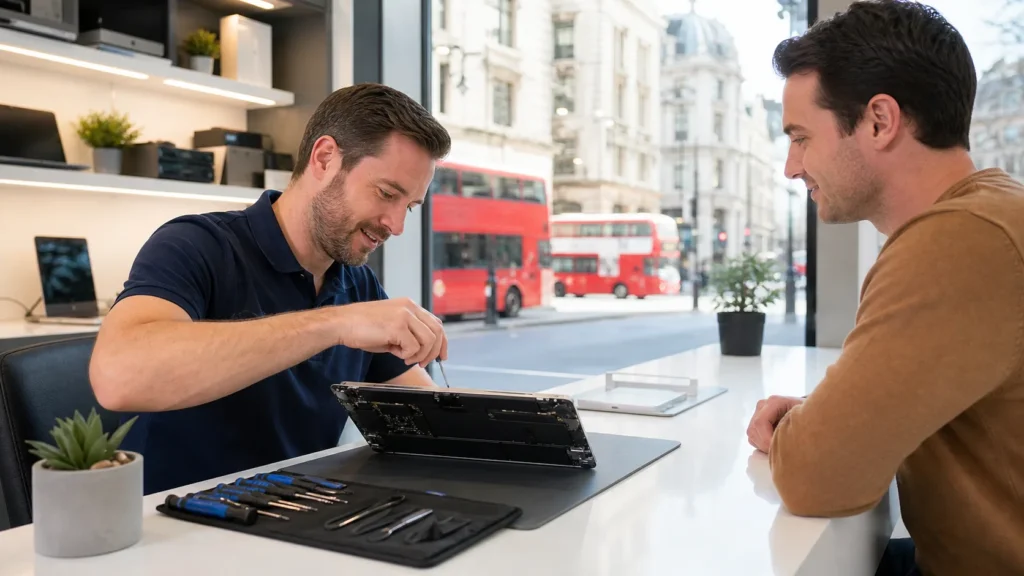

Summer holidays give us the chance to put studies or work aside and recharge somewhere new. But before setting off on a road trip or jumping on a plane, it’s worth taking a moment to think about the tech you’re taking with you. Whether it’s your laptop, Mac, or desktop, a few quick checks can make a big difference during your time away.
Heading out without addressing warning signs can turn small issues into trip-ruining problems. With warmer weather in full swing, tech tends to suffer a bit more. That’s why many people start looking into computer repairs in London as part of their packing and prep. It’s not just about fixing what’s broken. It’s about making sure your device won’t get in the way of a trip you’ve been planning for months.
Why Summer Travel Affects Tech Needs
When the heat comes in strong, so do computer problems. Summer isn’t just about sunny skies. It’s a time when travel stress and weather can hit devices harder than expected.
- Heat can cause batteries to swell or run hotter than usual. That puts pressure on the internal parts and fans.
- Movement during transport adds another layer of risk. Bumps on the road or quick handling at airports can trigger issues that were barely noticeable before.
- Poor airflow in cars, backseats, or backpacks means devices can overheat quickly, especially if already dusty or clogged.
- A device that starts up slowly now might get worse if it’s been jostled around and exposed to heat.
Issues we might ignore at home feel different when you’re sitting in a hotel room or out of range of service. It’s often not about new damage. It’s that older wear becomes more of a problem during trips.
What to Watch For Before You Travel
It’s easy to miss problems during a normal routine. When you’re about to be away, taking five minutes to test your device could help avoid a big problem once you’re gone.
- Flickering or distorted screens may mean display trouble that gets worse under stress.
- Slow startup times don’t always fix themselves with a restart.
- Keys sticking or not registering can be signs of worn-out connections underneath the keyboard.
- Battery draining quickly could point to age-related wear or apps causing unnecessary use.
If your laptop or desktop hasn’t had a clean-out or checkup in over a year, it’s more likely to surprise you with a fault. Add in heat, packed cars, or bad wifi in unfamiliar places, and even small glitches can feel bigger than they are.
Paying attention now can save hours of frustration later. It’s easier to deal with keyboard lag on your home desk, not at three in the morning in a different time zone.
Picking the Right Timing for a Repair
Late May and early June are good windows if you’re planning to travel over the school break or summer holidays. That’s before local shops start filling up with big pre-trip requests or rush jobs just before long weekends.
- If you think your laptop might need attention, booking early is a smart move.
- The extra breathing room means your device can be fixed and tested well before your travel starts.
- You’ll have time to check everything is working, not just trust that it is.
We’ve seen more than a few device panics the day before someone flies out. Some problems can’t be rushed without putting data at risk. A repair in early June can be quick, calm, and reliable. One booked too late might come with stress or delays.
What to Expect When Getting Your Device Checked
Getting your computer looked at doesn’t have to drag out your day. With a bit of planning, it often fits neatly around your normal routine.
- Common repairs, like battery replacements or fan cleaning, can sometimes be finished in a few hours if the part is in stock.
- Shops that deal with Macs and PCs alike will usually do a basic test first to check what’s really wrong.
- Once they know your travel timeline, they might speed things up or tell you honestly what can wait until you’re back home.
Knowing what you need from your device helps too. If you’re planning to watch movies, write, or video call back home, be clear about how you use your laptop on the go. That makes it easier for a technician to test it properly and decide what matters most.
The testing process might look simple, but it is done carefully. Sometimes, a technician will notice something you hadn’t thought about, like a noisy fan that gets louder after long use. Or they might find a build-up of dust inside that could cause more trouble once the device is on the move. These small checks add extra peace of mind so you don’t run into surprises later.
Questions to Ask Before You Choose a Repair Shop
Not every shop handles every kind of device, and summer timing adds pressure. A quick chat beforehand can help avoid last-minute stress.
- Ask which brands and models they service. Not all shops are set up for both Macs and Windows, and some new models need newer tools.
- Find out the usual turnaround times. If you’ve only got a few days before flying out, speed matters.
- Ask if they’ve handled repairs like yours before this season. Overheating, speaker problems, summer battery wear, these are more likely in hotter months.
It’s better to ask something simple now than to assume your machine will be fixed in time. A good shop will tell you how busy they are and whether your repair is a quick fix or something a bit deeper.
Shops with experience in summer repairs are more likely to know how heat and travel will affect your laptop or desktop. They can point out risks specific to summer, like battery swelling that may look minor but grow worse quickly when you’re travelling. Being up front about your plans can help them suggest checks or small fixes you might not have considered, so you don’t end up searching for help somewhere new while you’re away.
Making Summer Easier by Planning Your Tech Check Early
Getting your computer looked at before a trip doesn’t just prevent breakdowns. It keeps your plans simple and your head clear.
A device that runs properly means smoother travel. It’s one less thing to work around when you’re ending the day with a quick video call or sorting out directions online. Even a quiet glitch, like a fan spinning too loud or a port not recognising a charger, starts to feel bigger in unfamiliar places.
Beginning your summer with a quick once-over on your tech might not seem like a big step. It can be the difference between needing emergency help away from home or staying connected without worry. When your device works right, everything else feels a little easier too.
Sometimes a small fix now saves you a much bigger hassle later. Bringing in your laptop for a check before you leave gives you a chance to sort out small noises, battery worries, or slow startups. You can be sure your most-used tech is ready for the road, the air, or long video calls. Even if problems seem minor, travel and summer heat might make them worse, so having them checked early is worth the effort. Taking these simple steps protects your files, lets your battery last longer, and keeps you connected to everything that matters, even far from home.
Planning a summer trip is exciting, but making sure your laptop or desktop is ready for the journey is smart. With hotter weather and extra movement ahead, now is a good time to stay on top of potential tech issues. We’ve helped many travellers in London, Ontario, prevent unexpected shutdowns, keyboard problems, and startup delays that could have been avoided. For peace of mind before you go, check our computer repairs in London. Contact Forest City Computer Repairs so your devices are as ready as you are.