
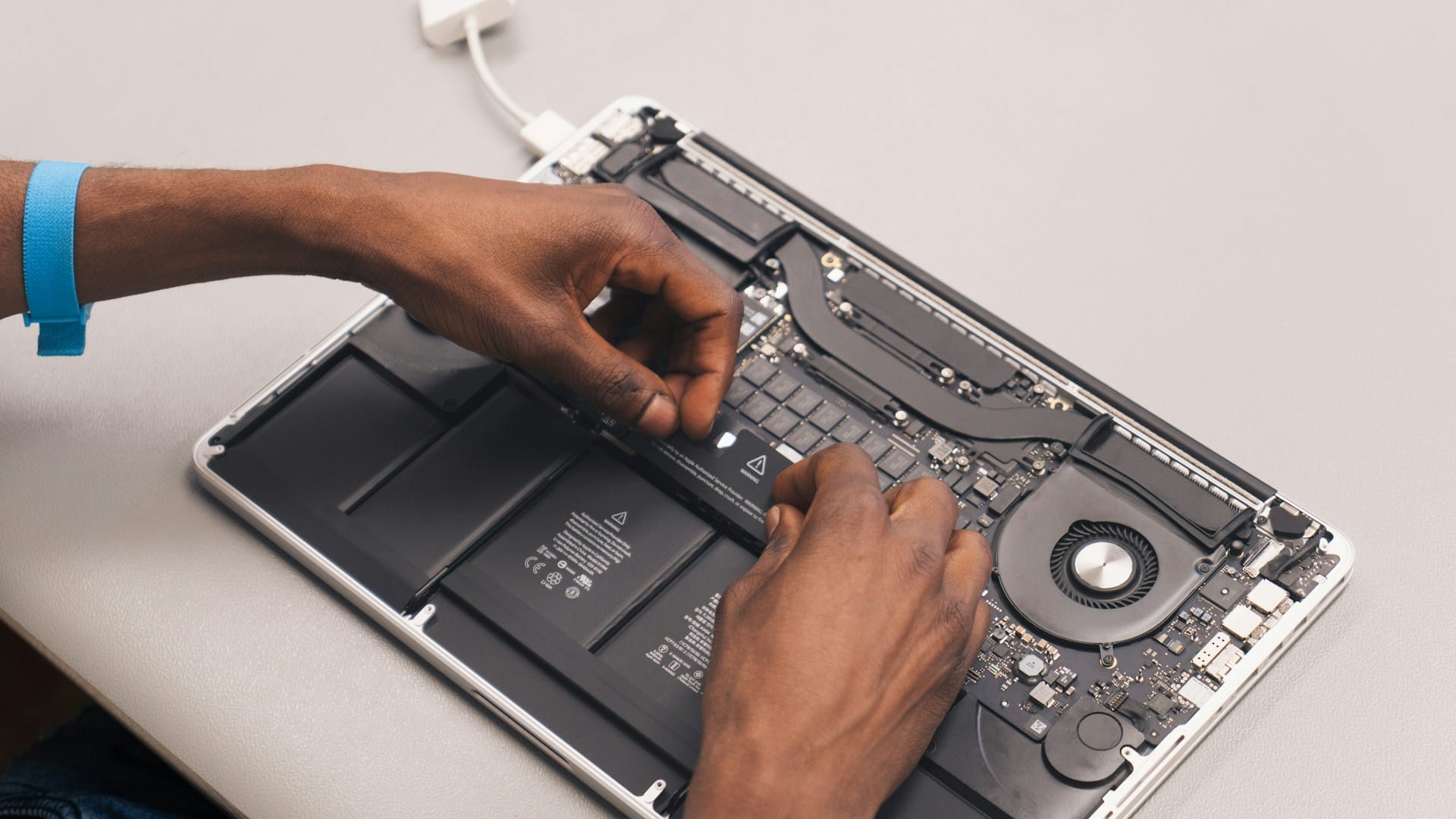
Exams hit hard enough on their own, but when your Mac starts acting up at the same time, the pressure builds even faster. In London, Ontario, exam season lines up right with increased computer use. Notes, group chats, online lectures, essay drafts, everything piles up in May. That’s when even the smallest issue with your laptop can feel like a major roadblock.
We hear a lot about Apple Store repairs online, and it’s the first thing that comes to mind for plenty of students. But when you’re already stretched thin, carving out time for tech repairs can feel nearly impossible. Still, putting off a fix can turn a five-minute freeze into a long day of lost notes.
Common Mac Issues That Pop Up Right Before Exams
By the time spring’s fully in swing, MacBooks might already be showing signs of wear from the whole school year. Even students who treat their tech carefully will start seeing warning signs pop up toward the end of term.
- Screen freezes or slowdowns can start small and get worse without notice
- Typing delays or keyboard glitches interrupt focus during long study sessions
- Battery life can drop fast, especially when laptops were used heavily through colder months
All those hours sitting indoors studying during winter push laptops harder than we realise. Dust builds up inside, batteries cycle through dozens of charges, and parts slowly shift out of alignment. You might not notice anything until you’re working on three things at once and the screen locks up.
With everything digital now, notes, assignments, revision tools, a single glitch can shut everything down. That’s why paying attention to small changes in how your Mac runs can help you avoid bigger problems down the line.
Finding Time to Get Repairs Without Losing Project Hours
During May in London, Ontario, many students are already cutting sleep just to keep up with deadlines. So the idea of being without your Mac, even for a couple of hours, can feel like a risk not worth taking.
Still, squeezing in a repair doesn’t always mean falling behind.
- Booking drop-offs early in the morning can let you study while your laptop gets checked
- Evenings after class or group sessions are another good time to handle fixes without losing prime hours
- Leaving problems until after exams often leads to worse damage or full system failure
One of the worst situations is having your Mac crash two days before a paper’s due, with no time left for recovery work. That’s why the quiet moments, those cracks of time between lectures or when your mind needs a break, can be perfect for getting repairs handled.
We’ve seen that acting early protects your peace later. Some students wait too long, then end up restarting everything from scratch. With exams this close, it’s not worth that kind of risk.
Why Planning Ahead Matters More Than Ever in May
As soon as May arrives, days get warmer and busier. That heat can speed up how fast your Mac runs into problems, especially if you haven’t opened it up for a service in a while. Older batteries swell under pressure, fans spin louder, and parts that already took a beating over the winter can start giving out.
Instead of waiting for a breakdown, it helps to treat technology like any other part of your routine. You don’t need to overthink it, just slot in a checkup the way you’d tidy your room or sort your folders before a big project. A mid-May maintenance plan can help spot the problems before they stop you cold.
- Setting reminders the same week as your big deadlines helps sync regular checks with your school calendar
- Getting ahead now avoids bigger interruptions later in the summer term
- A machine that’s been running hot or slow needs rest before crunch time, not during it
The last thing you need during finals is a fan spinning so loud it’s hard to stay focused, or a battery that dies halfway through a timed exam. Getting ahead of tech slowdown simply means fewer distractions when you’re trying to concentrate.
What to Expect During a Repair Visit
When things are going wrong with your Mac but you’re buried in deadlines, it’s easy to imagine that repairs will take too much time or create more stress. But most service visits are built to make things simple.
If you go in knowing the problem, like a stuck key, slow startup, or major battery drain, that speeds up the check. A quick intake is usually followed by a few tests to confirm what’s going on. From there, it’s about deciding what really needs fixing and what can wait until after exams.
- Many repairs like port checks, fan cleaning, or internal resets don’t take more than a few hours
- Battery swaps and basic part replacements can often be done same day if stocked
- Even if your data hasn’t been backed up yet, repair shops know how to protect what’s inside
Nobody wants to hand over their Mac when it’s filled with class notes and deadlines, but a good repair visit won’t make that harder. Instead, it helps bring relief right when you’re running low on time and energy.
Keeping Your Head Clear When Tech’s Reliable
Students already juggle enough in May. Between exams, final projects, and stretched-out study hours, keeping focused is hard enough without computer trouble getting in the way too. When your Mac runs clean and smooth, that’s one less thing spinning in your head.
We’ve seen time and time again that a working device helps students feel more grounded. It’s not about having the newest model or the fastest setup, it’s about knowing nothing’s going to crash when your notes are open, the essay is half done, and you’re racing the clock. A reliable machine doesn’t shout. It just works like it should.
As exam season ramps up in London, Ontario, now is the time to pay attention to the small problems that could block you later. Fixing them early, during one of the busiest months of the year, helps protect everything you’ve worked hard to build all term.
When deadlines are looming and your Mac needs attention, we’re here to help you avoid last-minute hassles and data loss. For students searching for Apple Store repairs in London, Ontario, our team at Forest City Computer Repairs is ready to keep your device performing at its best. Reach out to us today to stay on track throughout exam season.