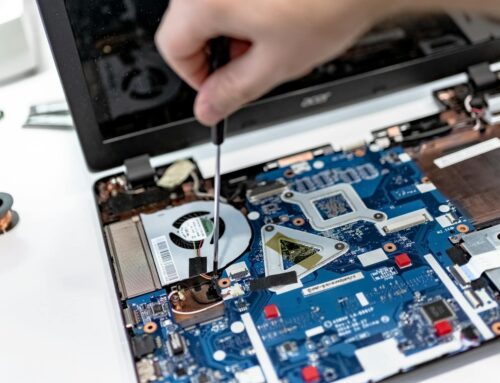
Winter in London, Ontario often brings more than just frosty mornings and icy roads. For many, it’s also the season when their laptops start acting up. The cold can put pressure on electronics, and MacBooks are no exception. From batteries draining too fast to screens glitching out without warning, problems tend to surface more clearly when the temperature drops. If your Mac has been a little sluggish lately or just doesn’t feel quite right, now’s the time to take it seriously. Catching these issues early could save you from needing bigger Apple MacBook repairs later on.
How Cold Weather Affects Your MacBook
Low temperatures don’t go well with most electronics, and MacBooks are no different. When your device is exposed to cold air, the internal components respond in ways that often lead to problems you may not see right away.
• Battery life tends to drop faster in cold conditions, even when fully charged
• Processing speeds can suffer, making your Mac feel slower than normal
• The screen might feel less responsive or show flickers until the machine warms up
Think about times you’ve left your MacBook in the car overnight or near a chilly window. These spots can cause significant internal stress before you even open the lid. Condensation from coming in and out of warm buildings can also creep inside the machine, sometimes causing circuit issues over time. Cold builds wear silently, so even if things look fine on the surface, damage can be happening underneath.
Common Signs Something’s Not Right
Many users brush off early warning signs, thinking it’s just temporary lag or an update issue. But consistent signs often mean something deeper needs attention. If your Mac keeps lagging day after day, it could be the start of a bigger issue.
• Slower app load times
• Screen flickers, dimming, or ghosting images
• Keyboard delay, missed keystrokes, or key repetition
The more these things happen, the more likely it is that your Mac’s components are under pressure. Internal fans working harder than usual or sudden system restarts are additional signs that something isn’t running right. These might seem small now, but they’re usually leading to something worse.
You might also start noticing your device takes longer to wake up, especially after spending time in a cold environment. Flickering or odd screen behaviour could become more common, even if everything seems fine when the MacBook is fully warmed up. Paying attention to repetitive or lingering symptoms will help you spot patterns before they escalate.
When Your MacBook Stops Charging Like It Should
Winter is often the tipping point for battery issues, and you’ll notice it when your Mac starts having trouble during charge sessions. You might plug it in and see no response for a few seconds, or maybe the percentage jumps around unpredictably.
Other times, the battery might drop fast after unplugging, or only hold a charge when you leave it powered. These are usually signs that it needs closer inspection. If power starts flickering off while it’s connected, or if it won’t power on unless it’s plugged in, those are clear signs it’s time to act. Cold makes battery stress feel worse, and that’s why many users start running into more noticeable power issues this time of year. Getting help now can prevent minor battery faults from turning into full hardware failures that demand full Apple MacBook repairs down the road.
Even if it seems like your MacBook occasionally charges when the temperature in your home rises, it’s good to remember that batteries are sensitive to cold. Sometimes they recover briefly, but these kinds of power hiccups are strong warning signs. Over time, wintry conditions can make weak batteries fail faster or even push them to the point where replacement is the only option. Noticing small changes in battery life now can help you avoid bigger problems as the season continues.
Problems That Can Get Worse If You Ignore Them
Brushing small glitches aside could mean dealing with bigger repairs later. MacBooks often signal hardware wear in quiet ways at first. The trick is spotting them before they grow into something more expensive or disruptive.
• Swollen batteries pressing against internal parts
• Frayed internal cables increasing the risk of short circuits
• Small display issues forcing a full screen replacement later
When ignored, keyboard problems can stop your Mac from booting properly. Screen flickers might evolve into full display failure if the graphics chip starts wearing down. Minor signs don’t usually fix themselves. Winter pressure can accelerate hardware wear, especially if your Mac’s already ageing or has seen previous damage. Now’s a smart time to pay closer attention to how everything’s running.
What sometimes begins as a barely-there issue can get much worse with cold temperatures hanging around. For example, a battery that’s just a bit swollen in autumn might put enough pressure on other parts to bend or crack the case by late winter. Cable damage or loose connections often reveal themselves only when metal contracts in the cold, leading to sudden faults. Being alert to subtle changes and following up on them early stops more troublesome breakdowns in the future.
How London, Ontario Weather Plays a Role
Once the cold sticks around in January, it’s not just the outdoor gear that feels the strain. Your MacBook faces it too. London, Ontario winters mean weeks of snow, sharp drops in temperature, and constant movement between cold cars and warm homes or classrooms.
If you’re a student or working from home, your Mac is probably in near-daily use. Long charging sessions, heavy multitasking, and long stretches without rest can all wear down the parts faster. Throw in the usual dryness and the risk of static shock, and you’ve got a recipe for damage that builds quietly. That’s one reason why mid-winter is when we see the most signs showing up. Paying attention to how your Mac behaves now catches problems early, especially while it’s still working.
Sometimes people notice that issues seem worse when they’re commuting or carrying their MacBook to different places. The shock of moving from a cold car to a heated building can create condensation inside, or cause small cracks to start spreading. These little details make a difference in how your MacBook handles stress over the winter months in London, Ontario. Remember, everyday use in cold settings can mean that small problems show up sooner than they would at other times of year.
Keep Your MacBook Working When It Matters Most
Winter stresses add up fast, and your Mac might be hinting that something’s wrong before it fully crashes. If apps freeze more often, your keyboard lags, or power seems inconsistent, it may be more than just wear and tear.
Spotting signs early means fewer headaches. That flickering screen might stop flickering altogether if the connection gets worse. A weak battery might swell and damage other internal parts. Low temperatures and higher usage this time of year make it easier for small defects to turn into downtime. Staying alert to those signals helps keep your MacBook working through the season without interruption.
It’s easier to overlook the little frustrations when you’re busy, but just a few minutes spent checking on your MacBook can ward off much bigger hassles later. Watch for simple things, a strange battery warning, a screen that looks odd under certain lights, or keys that miss letters. Noticing these small signs before they become big problems helps your laptop last longer, saves you time, and keeps you working or learning through every kind of winter weather.
Chilly weather in London, Ontario can cause your MacBook to slow down, develop charging problems or display unusual screen behaviours before you know it. Addressing these signs early helps avoid bigger issues down the line. Our staff at Forest City Computer Repairs offers trusted Apple MacBook repairs to keep your device running smoothly all year round. Reach out today and let us take care of your MacBook.