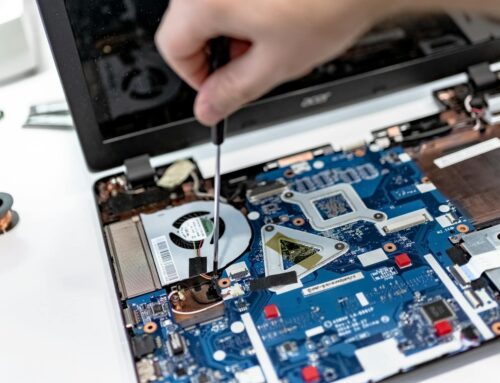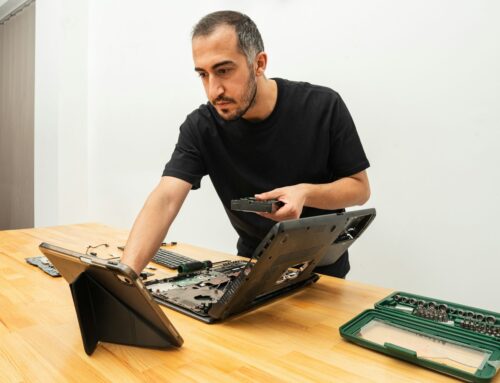
Snowstorms bring more than just shovelling and slippery roads in London, Ontario. They throw off everyday routines in ways most people don’t expect, especially when it comes to getting their laptops repaired. We’ve noticed over the years that people often ask why wait times grow after a big snowfall. The answer isn’t always obvious, but it’s something we deal with every winter. If you’ve ever wondered why laptop repairs in London take longer after a storm, the reasons go beyond just snow on the ground or cold in the air. Here’s what actually slows things down behind the scenes.
How Snowstorms Disrupt Local Repair Work
Bad weather changes how we work and how quickly we can get your laptop back into your hands. A lot of little things slow the process, and they build up fast during and after a storm.
- Roads can get icy or blocked, delaying delivery drivers who bring in parts and tools we need for repairs. If something isn’t already in stock, that simple delay can stretch fixes by a few days.
- Our staff sometimes need to travel longer routes to get in or stay home altogether if the roads are too bad. That means fewer hands in the shop and slower workdays.
- Things like internet outages or short blackouts can stop diagnostics partway through. Some updates and checks can’t be done without working connections, and when service cuts out, so does that progress.
Weather’s impact doesn’t disappear immediately, either. Even once the weather clears up, the build-up from these kinds of issues can stick around a while. Getting back to normal takes time.
Water Damage and Cold-Related Issues Become More Common
As snowstorms come through, we start seeing more types of hidden damage that take time to fully catch and fix. Some of these repairs are simple. Others need careful checks before we even begin.
- We get more laptops soaked by melted snow spilled from coats or bags. That kind of wet damage doesn’t always show right away, which can make early tests act like nothing’s wrong, even when something is.
- Cold can make plastic parts crack or loosen. People don’t always notice a broken hinge or a hairline crack near the edge until it starts to grow worse.
- Batteries drain faster in the cold, and that can look like your laptop isn’t charging right. We have to let these machines come back to room temperature first before we can trust any power tests.
- Some laptops need a warm-up period before diagnostics start. If they’ve been in a freezing car or backpack outside, jumping straight into testing isn’t always safe.
These types of cold-weather issues can be sneaky. Each of these adds a bit more time to the process, especially if the full damage only shows up once we open things up. It may seem like a simple fix on the surface, but checking for damage caused by snow and moisture means we need to slow down and make sure nothing gets missed inside.
Repair Queues Fill Up Quickly After Each Storm
No one really wants to run errands while snow’s coming down, so it’s no surprise our busiest days often happen after the weather settles. That quiet stretch during the storm flips quickly into a full lineup.
- Many people wait out the snow before bringing in their machines, which means a bigger rush all at once once the roads clear.
- With more machines coming through the door on the same day, we need to balance each one fairly. This naturally stretches out wait times, even if nothing is seriously wrong.
- Walk-ins, which we normally try to fit in between appointments, become harder to handle quickly during these waves.
It’s not only about the number of repairs, either. Sometimes specialty jobs need extra attention or parts, making everything in the line move a little slower. What would usually take a day or two may need a bit longer, just to make space for all the new entries that arrive together.
Why Slower Repairs Often Mean Better Results
A delay might seem frustrating, but it often leads to a safer outcome, especially in winter. Cold temps and moisture can make quick fixes riskier.
- Parts that feel fine in warm rooms can react differently when cold. For example, cold plastic is more likely to snap if forced. We take time to warm each device gently before checking joints or removing seals.
- If we spot signs of water damage or moisture trapped inside, we don’t rush into work. Letting a laptop dry at a slow, steady pace helps prevent deeper internal damage during repair.
- Testing, replacing, and re-assembling in winter conditions requires more time by nature. We prefer being slow and cautious instead of fast and careless. Machines handled too quickly after cold storage often end up back in the shop weeks later.
Patience during these steps means fewer mistakes and less risk of damaging connections or parts that are sensitive to cold or moisture. So even though the wait stretches a bit longer after storms, it’s time well spent watching out for long-term results.
What You Can Do to Avoid Delays
A few simple habits can keep your machine running more smoothly through winter and help avoid joining the post-storm rush.
- Store your laptop indoors at room temperature. Leaving it in a cold garage or boot overnight increases the risk of damage.
- If it’s been cold, give your device time to warm before turning it on. Powering it up too soon can lead to internal condensation and strange behaviour.
- If you know bad weather is on the way and your laptop’s already acting up, bring it in sooner rather than later. Waiting could mean getting stuck in the longer queue after the storm.
These small steps won’t fix every issue, but they can save you some time and reduce how seriously a small problem grows over a few freezing days. Even paying attention to moisture that comes inside with snow-coated clothes or bags can go a long way toward preventing water problems.
Planning Ahead Means Less Stress Later
By the time March rolls around in London, Ontario, snowstorms may not come as often, but when they do, they still throw a wrench into the works. We see it every season, sudden weather brings in a wave of damaged or sluggish laptops, and that pushes wait times longer than usual. It’s easy to feel annoyed when you’re told there’s a delay, especially if it’s your main work or school machine. But knowing what causes those delays makes things a little easier.
By planning early and watching out for cold-related issues ahead of time, you help your laptop stay in better shape through the final stretch of winter. A little patience now goes a long way toward avoiding a bigger fix come spring.
Winter weather can disrupt your day and impact your laptop’s performance, but at Forest City Computer Repairs, we’re here to help get things back on track. From dealing with slow start-ups to cracked hinges or snow-related issues, our process for laptop repairs in London is designed with care and efficiency. We thoroughly check for problems caused by cold or moisture, so give us a call and let us help restore your laptop’s reliability.