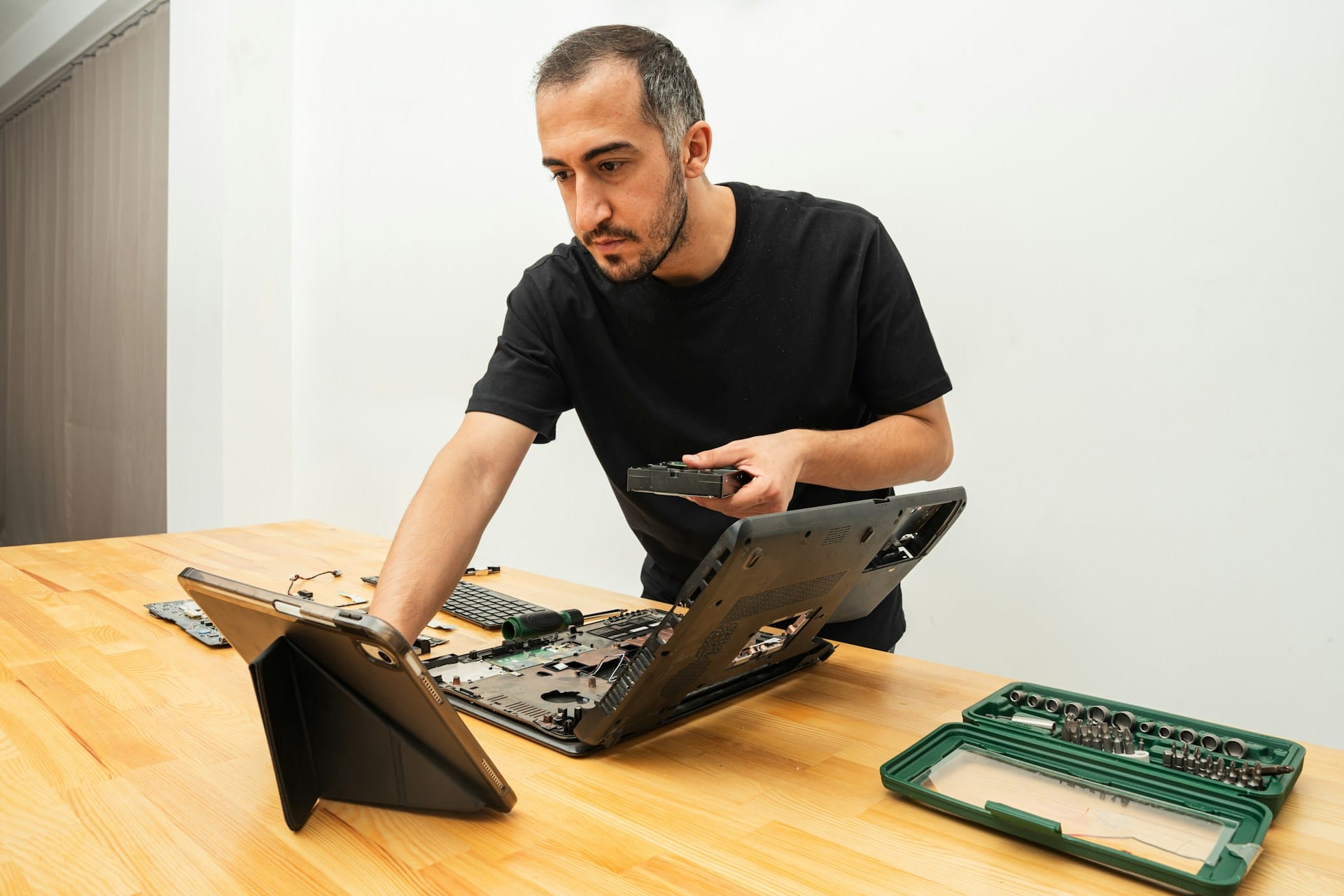
Laptops are part of everyday life now. Whether you’re working from home in London, Ontario or catching up on a bit of schoolwork, your machine is always nearby. Still, when something quits or starts acting funny, the repair process can feel frustrating. We’ve seen it happen often, quick patch-up jobs that only half-fix things. That’s where the real trouble starts.
Proper laptop computer repairs in London should never skip the fine details. Most people think a flashing screen or frozen program just needs a reset. But small signs like that can be warnings. A keyboard key that sticks or a fan that rarely turns on might seem small until the laptop stops booting altogether. If the little things get ignored, the real damage builds slowly and turns a fast fix into a long one.
Common Issues That Need More Than a Quick Fix
It only takes one small error to create bigger trouble later. When something’s glitchy or slow, rushing might make it worse.
- Laptop processors often overheat when internal fans wear down or get blocked by dust, and this causes the machine to slow dramatically. In many cases, slow performance is just the first clue.
- Screen flickers or charging issues are regularly linked back to loose ports or dirty connectors. Without a proper check of these parts, a temporary repair might work a day or two before breaking down again.
- When technicians rush to plug things back together, it’s easy to miss internal cables that are barely clipped in. That can lead to flickering displays, speakers that cut in and out, or Bluetooth that won’t connect.
Every laptop model is different. One might react badly to low battery charge during updates, while another might show errors if its hinges get cracked. What matters most is a full look at all the little pieces. Anything less just invites repairs to repeat themselves. Taking a few extra minutes to inspect all moving parts, even if they seem to work, can sometimes reveal the true reason behind those “once-in-a-while” problems. Dust under the keyboard, misaligned touchpads, and faulty battery contacts can hide until a small bump or drop makes them fail completely. Regular detailed checks and proper reassembly help catch these problems before they get any worse. These careful steps make all the difference between a repair that lasts and one that fails again.
Why Overlooking Laptop Details Creates Future Repair Problems
A missed step in a repair doesn’t always leave immediate damage. Sometimes, those problems take weeks to show up.
- We’ve seen hinges reinstalled with the wrong screws, putting cracks in the screen weeks later. Or a fan left slightly off-centre ends up scraping and breaking after a few days of use.
- Dust inside the vents can go unnoticed, but that build-up affects cooling. If it’s still there when the laptop’s put back together, the system ends up running hot again within hours.
- Poor cable connections between the motherboard and screen can lead to ghost touches, blurry displays, or a completely dead screen. These small misalignments are usually easy to miss unless someone checks every part carefully during reassembly.
When a repair doesn’t stick, people lose time and patience. That’s what makes full checks and slow, thoughtful reassembly more than just a good habit. It’s part of preventing future breakdowns. Even a forgotten screw or missed piece of tape can change how tightly a laptop closes or how well its cooling works, and those tiny things turn into real headaches over time. Slow, steady work ensures that every step is finished and nothing important is skipped along the way.
The Role of Environment in Laptop Problems
Winter hits hard in London, Ontario. Laptop behaviour can change depending on the weather, especially when there’s a big shift between indoor heat and outdoor cold. Machines brought in from a cold car can take time to warm up, and if powered too soon, trapped moisture can affect the internal board.
- Battery life takes a hit in colder months. Some laptops may shut off suddenly, even when they show a full charge, if they’ve been in cooler air for too long.
- Screens can lag slightly or look dimmer after sitting in freezing temps, needing time to respond at the right brightness levels.
- Frozen trackpads or delayed key response might point to issues that only show when a device cools down too much.
It’s easy to miss these changes when you’re used to the same laptop every day. But as the season closes, we still see trouble caused by cold snaps in late February. That’s the reason winter repair checks matter. A lot of what looks like broken parts could just be condition-related, but it takes a full clean-up and inspection to know for sure. Many laptops are exposed to harsher conditions during colder months. They may be put near radiators to “warm up,” exposed to snow melt from bags or jackets, or simply left longer in unused rooms. All these situations introduce new risks that proper repair must take into account. Some machines act fine at first but begin shutting down or catching dust as the weather shifts. It’s easy to ignore these clues unless you’re watching for them, and repairs that only fix surface problems will not keep a laptop running through all these ups and downs.
What a Careful Laptop Repair Should Look Like
A proper repair isn’t just about replacing the bad part. It’s about making sure the whole laptop runs smoothly and stays stable after all the work is done. That means a full check, not just for what’s broken, but for what might become a problem soon.
- Every port should be tested, not just for connection but for positioning and grip. Loose USB ports or headphone jacks can lead to more damage if ignored.
- Running full diagnostics allows us to spot weaker hardware, failing fans, or memory that’s close to crashing, even when the user hasn’t noticed anything wrong yet.
- After the repair is done, we always test the parts again. Trackpad sensitivity, screen backlight, keyboard response, speaker volume, and battery compatibility should all be rechecked before sending a laptop back out.
Rushed repairs almost always skip some of these checks. Most people won’t catch the difference right away, but they’ll definitely notice when the new fault pops up a few days later. Repair shops that focus on the small things will also check for stray bits of metal or old adhesive left inside the case. They make sure screens sit evenly and heat sinks have the right contact with chips. Good practice includes careful cleaning inside while reassembling, so that leftover dust or fingerprints do not cause later issues. When all these things are checked, users can feel more comfortable and confident that their laptop will stay reliable, even in changing temperatures.
Winter Repairs Done Right Lead to Fewer Surprises Later
We’re getting close to the last stretch of winter here in London, Ontario. That’s when laptops that have survived season after season without a deep check finally start to show signs of wear. Cold mornings, rapid charging, and consistent plugging in and out all take a toll across December to February.
The little things really do add up. A loose charger port, a half-functional touchpad, or a noisy fan doesn’t seem like much at first. But missing those now could easily turn into a shut-down or system failure once spring rolls around and things heat up again. Our best tip is to take the warning signs seriously.
Repairs that pay attention to every cable, fan, screw, and socket may take more time up front, but they save a lot of frustration later. It’s always better to go slower now than be forced to act fast later when something finally stops working.
When your laptop starts making odd noises or isn’t running as smoothly as before, a thorough inspection can prevent bigger issues later, especially during the challenging winter months in London, Ontario. We know from experience that skipping steps during quick fixes often leads to more trouble down the line, which is why Forest City Computer Repairs always takes the time to get every detail right. For detailed, dependable laptop computer repairs in London, reach out to us today.