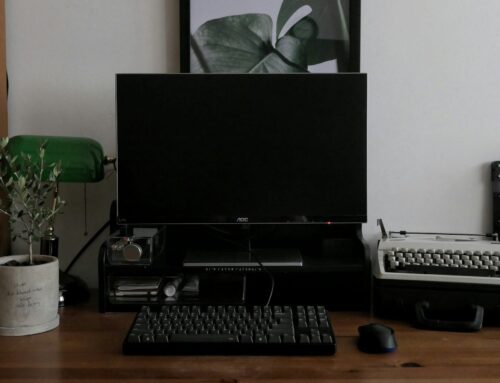
Winter in London, Ontario can be unpredictable. It’s not just the weather outside that changes either. The cold has a way of sneaking indoors and testing our electronics too. Many people don’t realise how much the temperature shift can upset the way desktop computers behave. Whether your machine lives in a drafty office or a home study with inconsistent heating, these temperature swings can lead to odd behaviour that leaves people searching for desktop computer repair when things stop working properly.
What seems like a small delay when starting up or a weird sound from the fan could be something much bigger down the line if the cold is playing a part. As we move toward the tail end of winter, it’s worth knowing how cold weather affects the machines we rely on every day.
How Cold Can Affect Desktop Hardware
Desktops may not seem fragile on the surface, but many of the parts inside them can have a hard time adjusting to freezing temperatures over time.
• Hard drives can slow down or even fail to spin up when exposed to cold for long stretches. That often results in system lag or strange clicking sounds when the system tries to boot.
• Metal parts inside desktops, like motherboards, mounting brackets, or processors, expand and contract as they heat and cool. Repeated exposure to extreme cold can weaken connections or create stress on the soldering joints.
• Plastic cables, connectors, and ports can become brittle in freezing conditions, especially if the desktop is stored near external walls or poorly insulated windows. A cold plug or loose cable can snap more easily or disconnect entirely.
These hardware shifts may not break anything straight away but will often lead to problems over time. The chill may seem harmless, but when paired with dry air and sharp temperature spikes, your computer may struggle more than expected.
Startup Issues and Power Problems in Winter
A cold desktop can sometimes feel just like a stubborn car on a frosty morning. If your machine occasionally refuses to start or restarts without warning, the temperature might be part of the reason.
• Power supplies work best in stable temperature conditions. When they’re cold, the internal components might need extra time to reach normal output levels. That lag can cause incomplete startups or even full shutdowns.
• Aging machines tend to show warning signs more clearly through temperature reactions. Screens may flash briefly, fans might not kick in right away, or the BIOS could throw up error codes on the first try.
• Drastic swings in room temperature lead to inconsistent voltage levels. This is especially true when computers are powered on after being off overnight in an unheated room.
Cold-related power trouble doesn’t always show up in obvious ways. Sometimes small glitches only show up once or twice, making them tricky to track down. That’s part of why desktop computer repair in colder months can feel like it takes longer, there’s often more detective work involved.
Why Repairs Take Longer in Cold Months
Winter doesn’t just interfere with the performance of your desktop. It also makes repairs more drawn out than usual.
• Shipping times for new parts stretch when snowstorms or freezing rain delay couriers. Suppliers might get backed up or stop service for certain areas in southern Ontario depending on road safety.
• Before we can work on a machine, it often has to sit and warm gently to normal room temperature. If a computer is brought in straight from a cold garage or a trunk, powering it on right away could cause more problems.
• Faults caused by cold often disguise themselves as permanent issues. Once warmed up, a failing part might start working again for a short time. This makes testing and diagnosis take longer because we want to confirm the issue is inside the hardware, not just something triggered by cold shock.
These switches in behaviour lead to a bit more back and forth than we usually see in summer repairs. It’s frustrating for users who want a quick fix, but solid diagnostics need time to track down the actual issue.
Keeping Your Desktop in Better Shape This Time of Year
There’s no way to completely control the weather, but we do have ways to keep our desktops safer as the chill drags on.
• Move your computer away from windows, vents, and entryways where drafts hit. Even shifting it a metre or two away from a colder wall can make a difference.
• Try to keep your desk or workspace at a steady room temperature. If your heating is spotty, avoid leaving devices powered off overnight in unheated areas.
• Notice small changes. If your computer takes longer to turn on in the morning or you hear new noises from inside the case, don’t ignore it. What may start as a light fan glitch or random restart can become a repair problem quickly in colder environments.
• Turn off your computer before bringing it into a much warmer room. Letting it warm up slowly, while powered off, reduces sudden condensation build-up inside sensitive parts.
None of these steps require special tools or complicated processes. Most are just about watching where and how we use our machines in these last few weeks of winter.
Cold Weather Doesn’t Have to Mean Long Repair Waits
As we move through February, short cold spells can still cause headaches for desktop users in London, Ontario. By now, most systems have likely seen a few weeks of harsh weather, and any problems that started small may start to show up more clearly.
Knowing how the cold affects your machine is the first step in avoiding disruption. Signs like slower startups, inconsistent fan behaviour, or broken ports might not be obvious threats at first, but they can point to bigger seasonal wear. Staying alert and giving your machine a stable environment can often make a big difference.
When something doesn’t sound, look, or feel right with your computer, it usually isn’t. The sooner it’s checked, the easier it is to keep it running well, and that’s especially true near the end of winter.
When your desktop acts up during the colder months or struggles to recover after a chilly night, it’s best to have an expert take a closer look. We know that even minor issues can get worse in winter, especially with older devices or ones that aren’t moved often. Experiencing slow startups, shutdowns, or odd noises? Booking a proper assessment now could prevent bigger disruptions later. See our desktop computer repair services for London, Ontario, and give Forest City Computer Repairs a call to get things running smoothly.