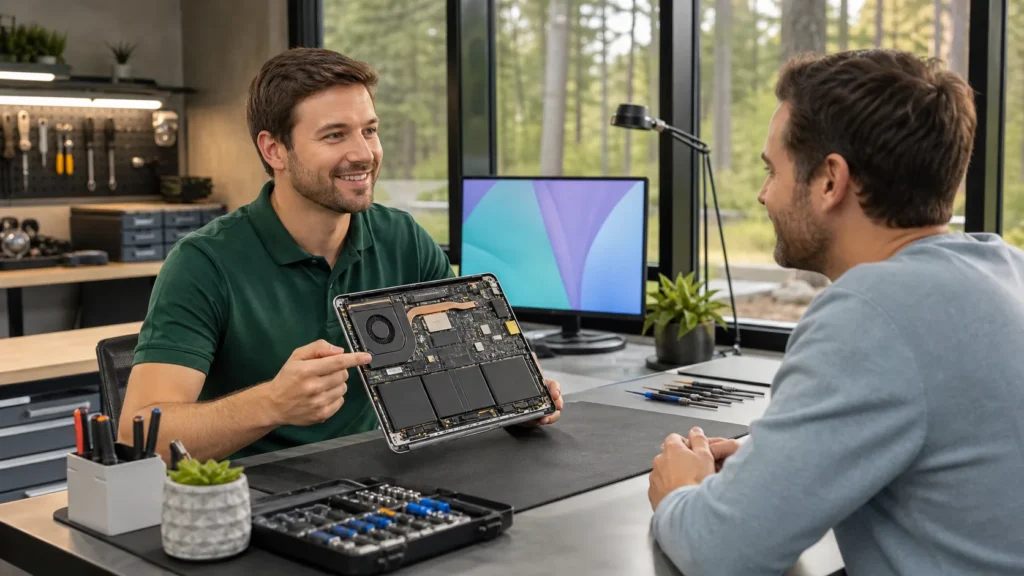

Laptops don’t always break all at once. More often, they slow down, the battery starts giving up too soon, or the screen develops a crack after a soft drop. Over time, what once felt fast begins to lag, and simple tasks turn into long waits. When these issues pile up, many people stop and ask the same thing. Should we repair a laptop computer or just replace it altogether?
It’s not always a straightforward choice. Some repairs can be quick and affordable, while others don’t make much sense on an older machine. And in places like London, Ontario, where the end of summer brings the return of school and routine, the timing of that decision can make all the difference. Sorting it out now can save a lot of frustration later on.
When It Makes Sense to Repair a Laptop
Fixing a laptop is often the better choice if the issue is minor or isolated. Many repairs take less time and money than people expect, and they can offer a good stretch of extra life without the hassle of starting fresh with a new system.
- Problems like cracked screens, faulty charging ports, or batteries that drain fast are often simple to sort.
- If the laptop is only a few years old and still feels fast when it works right, a screen swap or new keyboard can get it working like normal again.
- Summer in London, Ontario brings a little break in the pace. Whether you’re heading on holiday or enjoying fewer hours at a desk, this time of year can be a smart window to sort out repair needs without the pressure of daily use.
Repairing makes the most sense when the laptop still fits your needs. You’re not replacing cables, passwords, or software, which keeps the transition smooth. A good repair can buy time and help stretch the value of a machine you already trust.
Forest City Computer Repairs provides in-house repairs on screens, batteries, fans, and ports, as highlighted on our laptop repair service page. Diagnostics are usually straightforward, and most jobs can be turned around quickly, which is a big plus if you need the laptop ready for September.
When Replacing Might Be the Smarter Choice
Sometimes, no matter how much you want to save a device, it’s already given you all it’s got. Laptops near the end of their lifespan can show more than one issue at once, and the fixes begin to stack up quickly.
- If the repair costs come close to what a new device would set you back, replacing starts to feel more logical.
- Devices with slow or outdated processors might not work well with recent programs or updates, especially if apps crash repeatedly or fail to load.
- Laptops without software support are more exposed to problems, even if they still turn on. Patchy updates put data at risk and hold back performance.
Buying a new machine might also make everyday work faster or more reliable. If you’ve patched one problem only to find another, it could be time to consider starting fresh. That doesn’t mean giving up too soon, just asking the right question: does this machine match what I need now?
What to Look At Before Deciding
Jumping into a repair or rushing to replace your laptop without a bit of thought can lead to regret either way. There are a few things it’s smart to weigh up before making the call.
- Check how old the laptop is. Most last four to six years with regular use, but heavy workloads or climate shifts can shorten that.
- Think about performance. Does the machine freeze, overheat, or struggle with tasks that were once easy?
- Watch out for weather-related changes. In August, the heat and humidity around London, Ontario can make older laptops feel slower or cause swelling in batteries that are already worn.
It can help to have a technician check it over. An expert can often spot early signs of failure or tell when a small fix will likely hold. That kind of second opinion can narrow down your options without wasting time or money.
Common Repairs That Can Save You the Trouble
Some problems sound worse than they are. A flickering screen might just need a loose connection fixed. A slow machine could need new thermal paste. There’s a list of repairs worth knowing simply because they’re so common and so fixable.
- Replacing a worn-out keyboard, sticky keys, or broken hinges
- Upgrading storage drives if the old one’s failing or full
- Addressing sudden software crashes or boot errors with repair tools, not fresh installs
When things go wrong, it’s easy to think the whole machine is finished. But these routine repairs are quick and often all that’s needed. Not every issue means starting over.
If we repair a laptop computer that still handles our daily work but has a few glitches, that repair can clear the issue without touching everything else. And when caught early, small fixes can keep us from paying more for bigger problems down the road.
Choose What Works Best for Your Situation
There’s no rule that fits every situation. One person’s glitchy old laptop might still do the job fine with a basic repair, while someone else’s newer one might fail in ways not worth fixing. It depends on how the laptop is used, what shape it’s in, and how long you need it to last.
Some laptops are built for shorter lifespans, and others hold strong for years. A good starting point is thinking about what matters more, keeping your setup familiar or starting fresh with a blank file and new updates.
Whatever decision you end up with, just taking the time to pause and assess puts you in the best spot. Whether you repair or replace, it’s that moment of thought that saves you the most trouble later.
Unsure whether to upgrade to a new device or keep yours running? Many laptop problems can be fixed quickly, especially when diagnosed early. Dodgy performance or a worn-out screen might not mean it is time to replace your laptop, a sensible choice could be to repair a laptop computer instead. At Forest City Computer Repairs, we’re here to help you find the right solution for your setup. Give us a call to discuss what works best for you.